Easy Bets
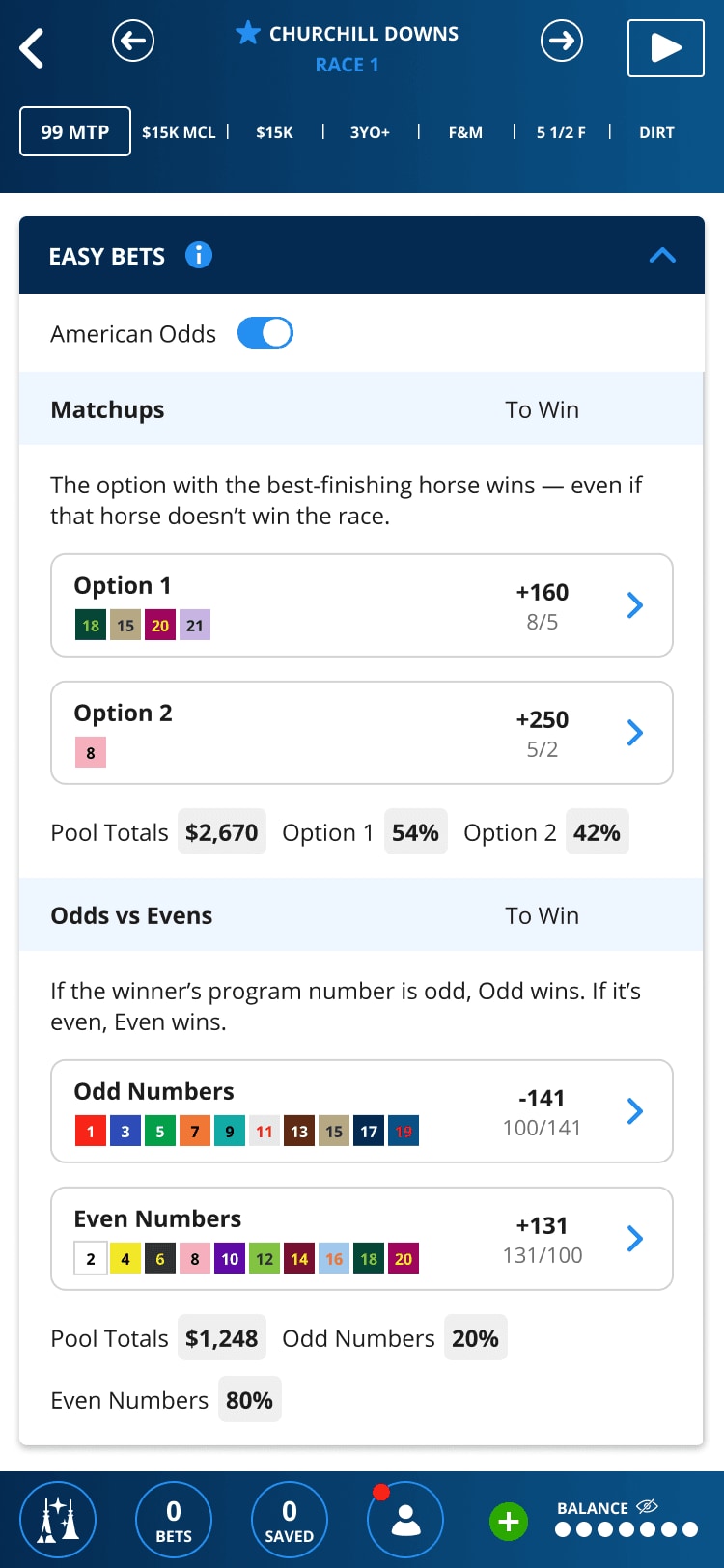
TwinSpires presents new ways to easily place unique wagers such as the Odds vs. Evens or Matchups like Head to Head bet types.
Sports bettors and prop-bet fans can be excited about a few familiar wager styles now playable on TwinSpires!
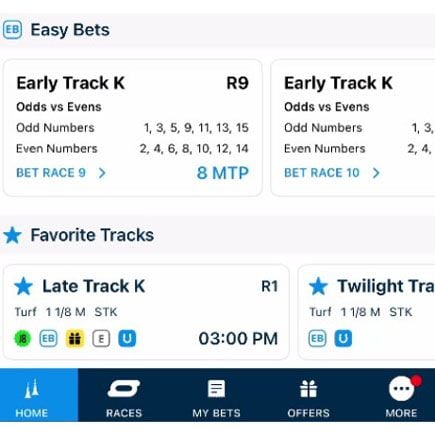
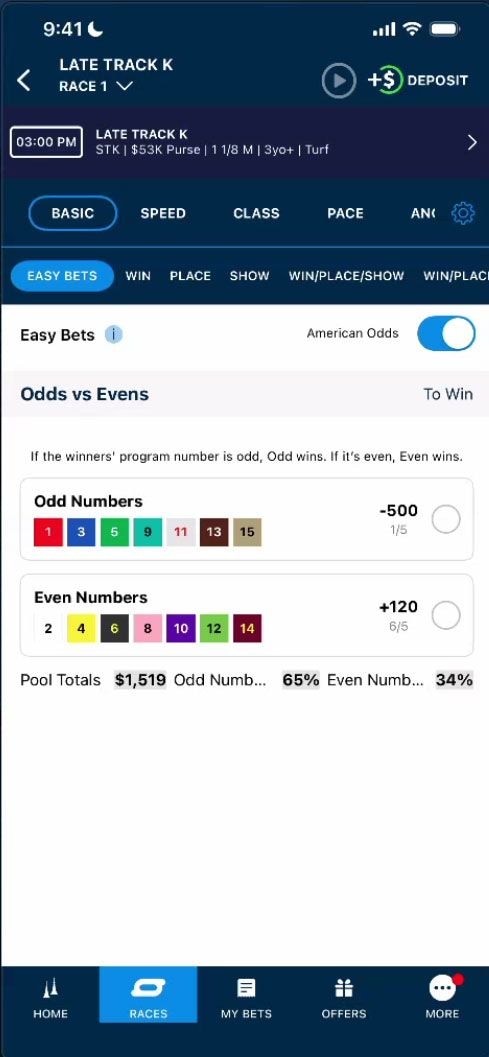
Odd vs. Even
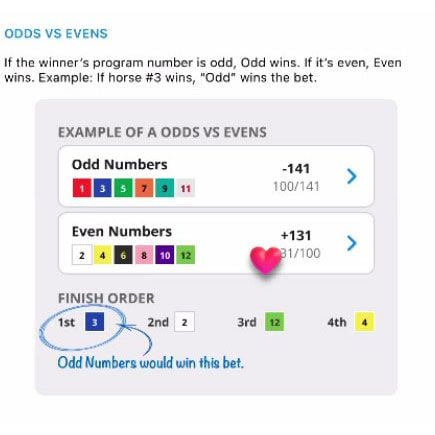
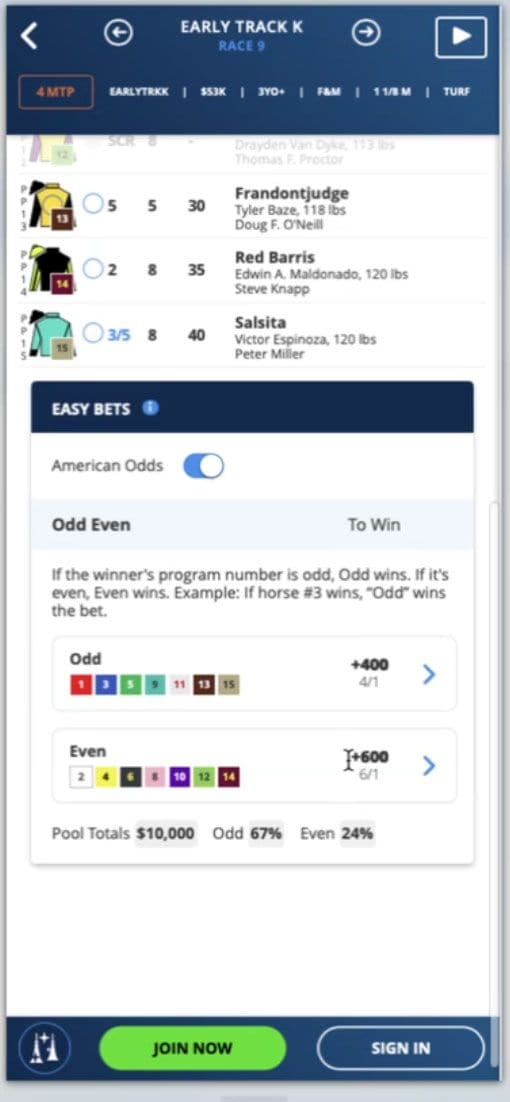
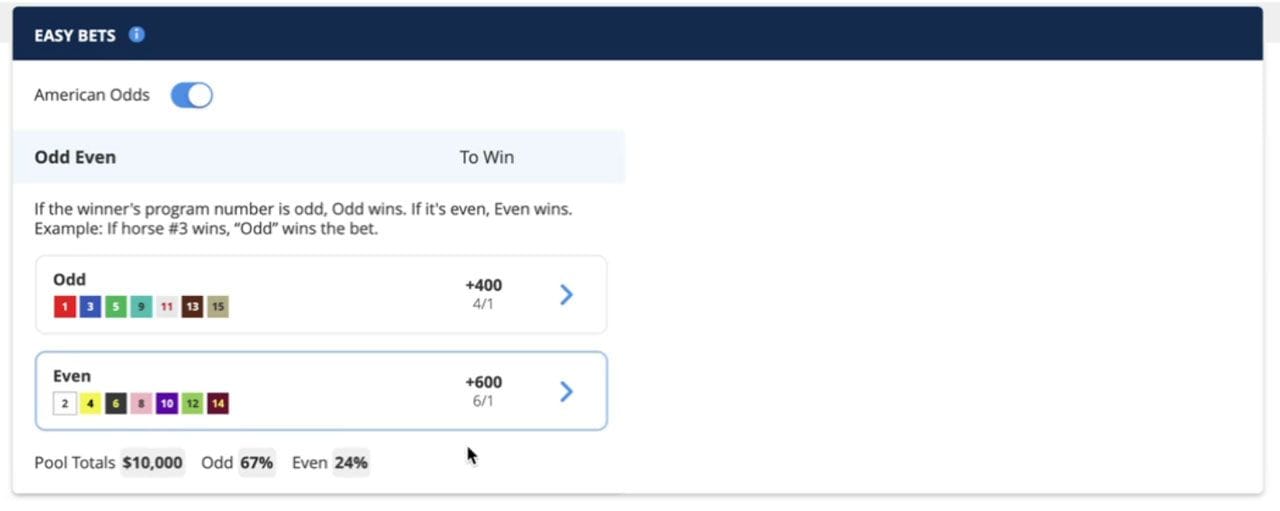
- If the winner’s program number is odd, Odd wins. If it’s even, Even wins.
- Example: If horse #3 wins, Odd wins the bet.
- In the event that scratches cause the number of runners in the race to fall below 3 runners per side then the pool will be
refunded.
Matchup
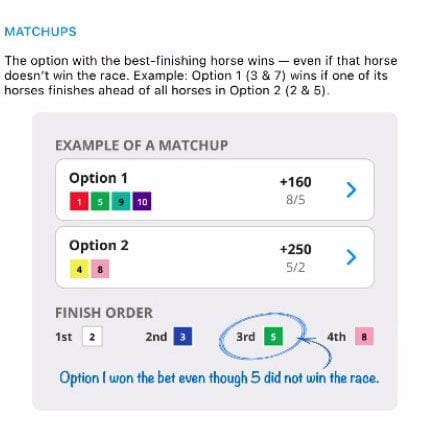
- The option with the best-finishing horse wins – even if that horse doesn’t win the race.
- In the event that all horses for a given option are scratched then the wager will be refunded. As long as there is one horse remaining per side the wager will continue to be offered.
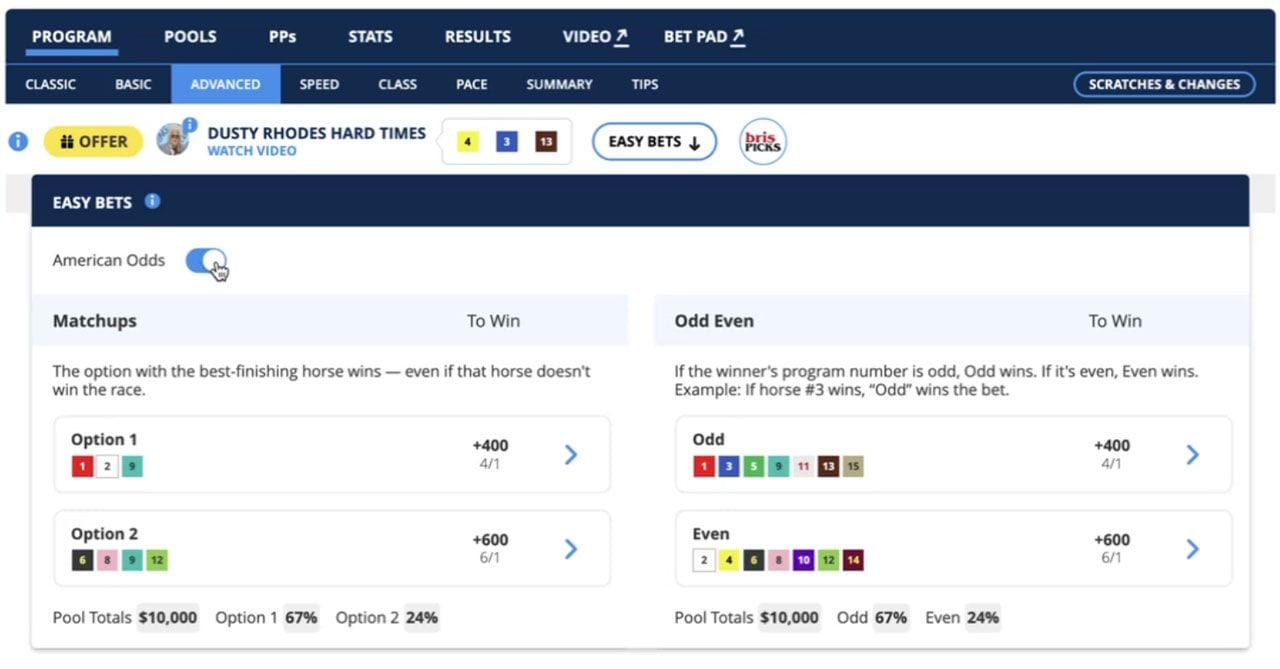
When a track is offering Easy Bets wagers, there will be an Easy Bets icon that appears, similar to Offers and brisPICKS.
If a player is viewing a track to place a wager, they will easily be able to navigate to the Easy Bets section by clicking the icon above the Program.
Results for Easy Bet wagers can be viewed the same as all other results and will display at the bottom of the list of Pool Types.
HOW TO WAGER: WEB
- Step 1: Navigate to Today's Races - From the main menu, go to Today's Races. This section displays all tracks that currently offer Easy Bet wagers.
- Step 2: Select Your Track - Click on the track you'd like to bet on.
- Step 3: Find the Easy Bets Section - Scroll down below the race program, or tap the Easy Bets icon (indicated by a down arrow) to jump directly to the Easy Bets section.
- Step 4: Choose Your Wager Type - Select one of the two available wager types:
- Matchup — Pick between two competing options (Option 1 or Option 2)
- Odd v Even — Pick whether odd-numbered or even-numbered runners will win
- Step 5: Make Your Selection
- Matchup: Choose Option 1 or Option 2
- Odd v Even: Choose Odd numbered runners or Even numbered runners
- Step 6: Set Your Bet Amount - You can place the wager at the default base bet amount, or adjust the amount to your preference before submitting.
- Step 7: Submit Your Wager - Confirm and submit your bet. Once placed, you can view your wager at any time under My Bets.
HOW TO WAGER: NATIVE
- Step 1: Navigate to Today's Races - From the homepage, scroll past Featured Tracks to the Easy Bets section on the homepage OR go to Today's Races. This section displays all tracks that currently offer Easy Bet wagers.
- Step 2: Select Your Track - Click on the track you'd like to bet on.
- Step 3: Find the Easy Bets Section - Above the race program where wager types are selected, scroll to the far right to find Easy Bets next to Jackpot 8 and tap the Easy Bets icon to jump directly to the Easy Bets section.
- Step 4: Choose Your Wager Type - Select one of the two available wager types:
- Matchup — Pick between two competing options (Option 1 or Option 2)
- Odd v Even — Pick whether odd-numbered or even-numbered runners will win
- Step 5: Make Your Selection
- Matchup: Choose Option 1 or Option 2
- Odd v Even: Choose Odd numbered runners or Even numbered runners
- Step 6: Set Your Bet Amount - You can place the wager at the default base bet amount, or adjust the amount to your preference before submitting.
- Step 7: Submit Your Wager - Confirm and submit your bet. Once placed

Frequently Asked Questions
What types of wagers are available for EasyBets?
WIN BET ONLY – no place, show, or exoticwagering on these events.
What happens to an Easy Bet wager if one ofthe horses in my selected group getsscratched before the race?
Scratched horses remain in their group (Oddor Even). The bet is on the GROUP, not anindividual horse.
A player doesn’t understand which horses arein the Odd group vs. the Even group – how canI help them figure it out?
If a player is unsure: show them the program –odd numbers (1, 3, 5...) = Option 1; even (2, 4,6...) = Option 2.
Is there a special betting limit for Easy Bets,or a different minimum wager than other bettypes?
Minimum/maximum wager amounts followtrack’s standard win bet limits.
What would trigger an Easy Bets wager to berefunded to the player?
Odd v Even - In the event that scratchescause the number of runners in the race tofall below 3 runners per side then the pool willbe refunded.
Matchup - In the event that all horses for agiven option are scratched then the wagerwill be refunded. As long as there is one horseremaining per side the wager will continue tobe offered.
Odds vs. Evens Wagers
Matchups and Head to Head Wagers