Play online handicapping tournaments at TwinSpires


TwinSpires Tournaments allows horseplayers to find a variety of contests to test their handicapping and betting skills among their peers with the technology of TwinSpires. Built from the ground up by the passionate team at TwinSpires, using feedback from horseplayers, this clean tournament interface will make managing entries, seats, and wallets seamless and intuitive.
Please note, in an effort to streamline tournament play and focus for players, tournament participants can only access the tournament-eligible races while logged into that specific tournament account. While logged into your tournament account, some typical wagering functionality and features may be limited. Simply switch back to your main wagering account to access the normal wagering experience.
Please quickly jump to Frequently Asked Questions and a brief walk-through of the TwinSpires horse racing tournaments environment.

What can I find inside of the TwinSpires Tournaments environment?
- Click the 'Tournaments' button in the TwinSpires main navigation to view contests
- Click 'Active' to view current opportunities to play in TwinSpires Tournaments
- Click 'Ended' to view past tournament contest events
- Click 'Register' next to a listed tournament and begin the entry process
- Click 'Learn More' for upcoming tournament details and be ready for what's coming next!
The TwinSpires horse racing tournaments home screen
The home of horse racing tournament contests can be found at twinspires.com/bet/tournaments.
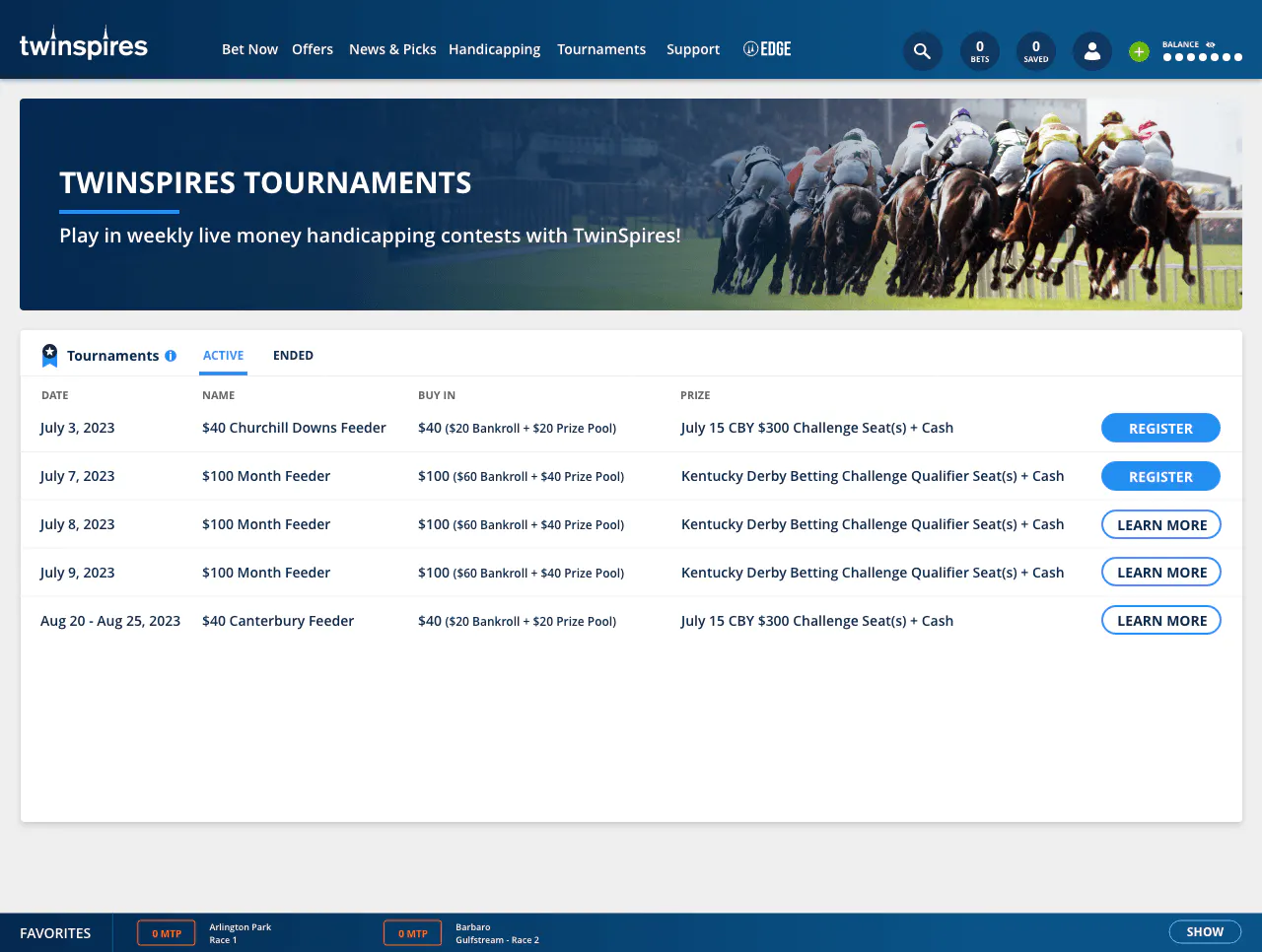
Elements of active TwinSpires horse racing tournaments
What happens when a horseplayer successfully enters a handicapping tournament?
- Horseplayers will see alerts that communicate active tournaments, such as the blue bar below main navigation
- Players can quickly switch between their primary wagering account on TwinSpires, or their variety of entered tournaments
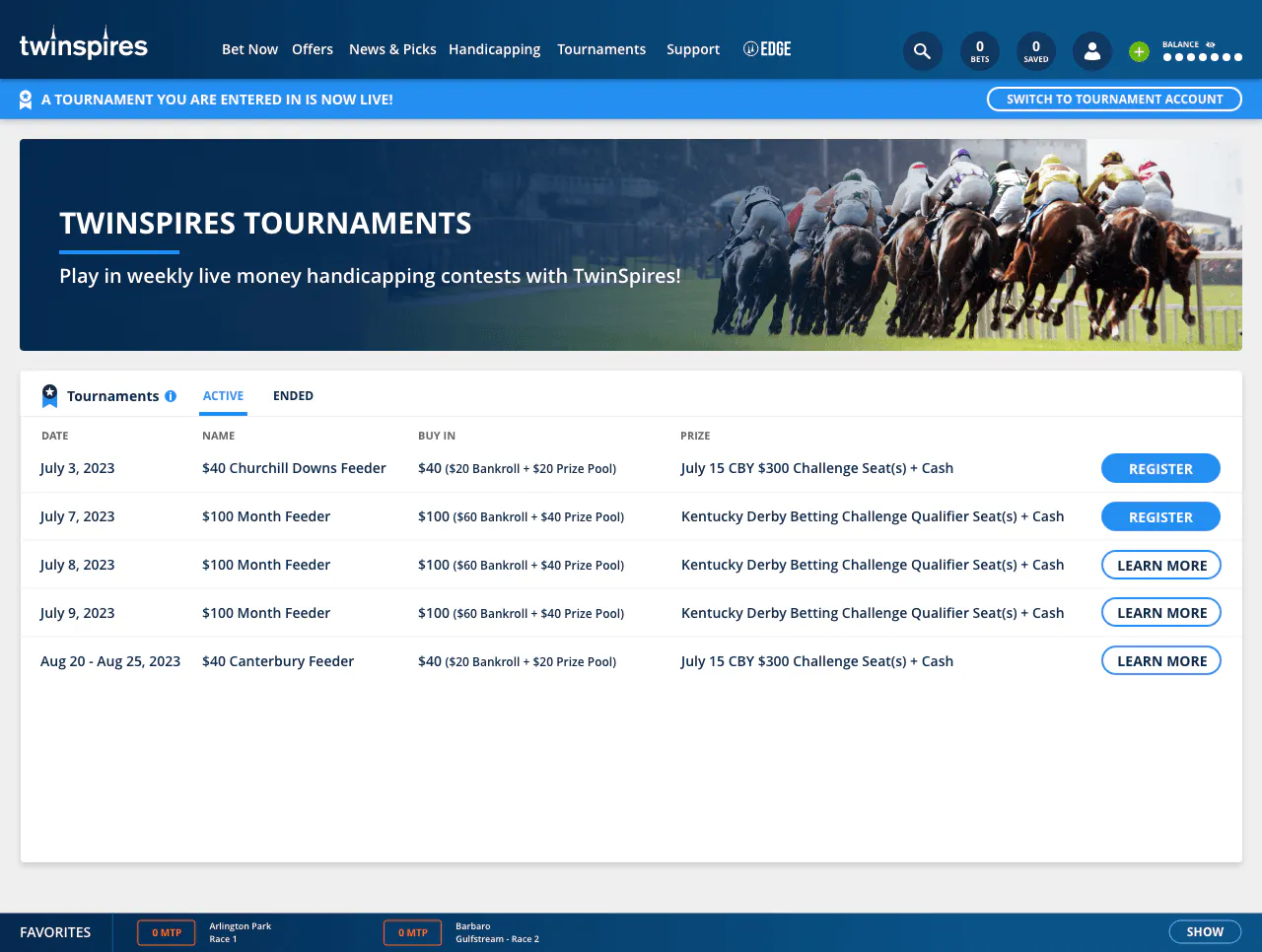
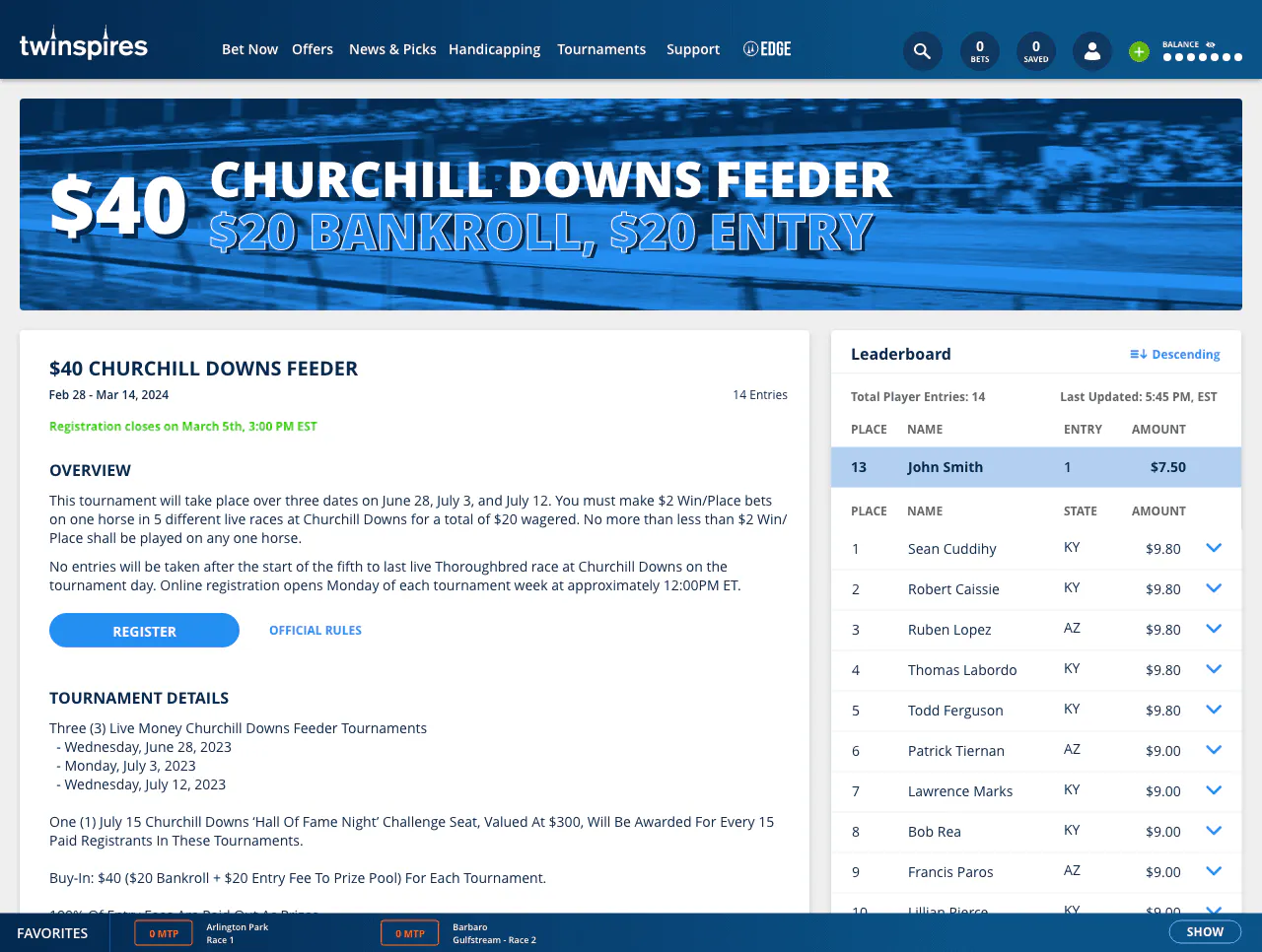
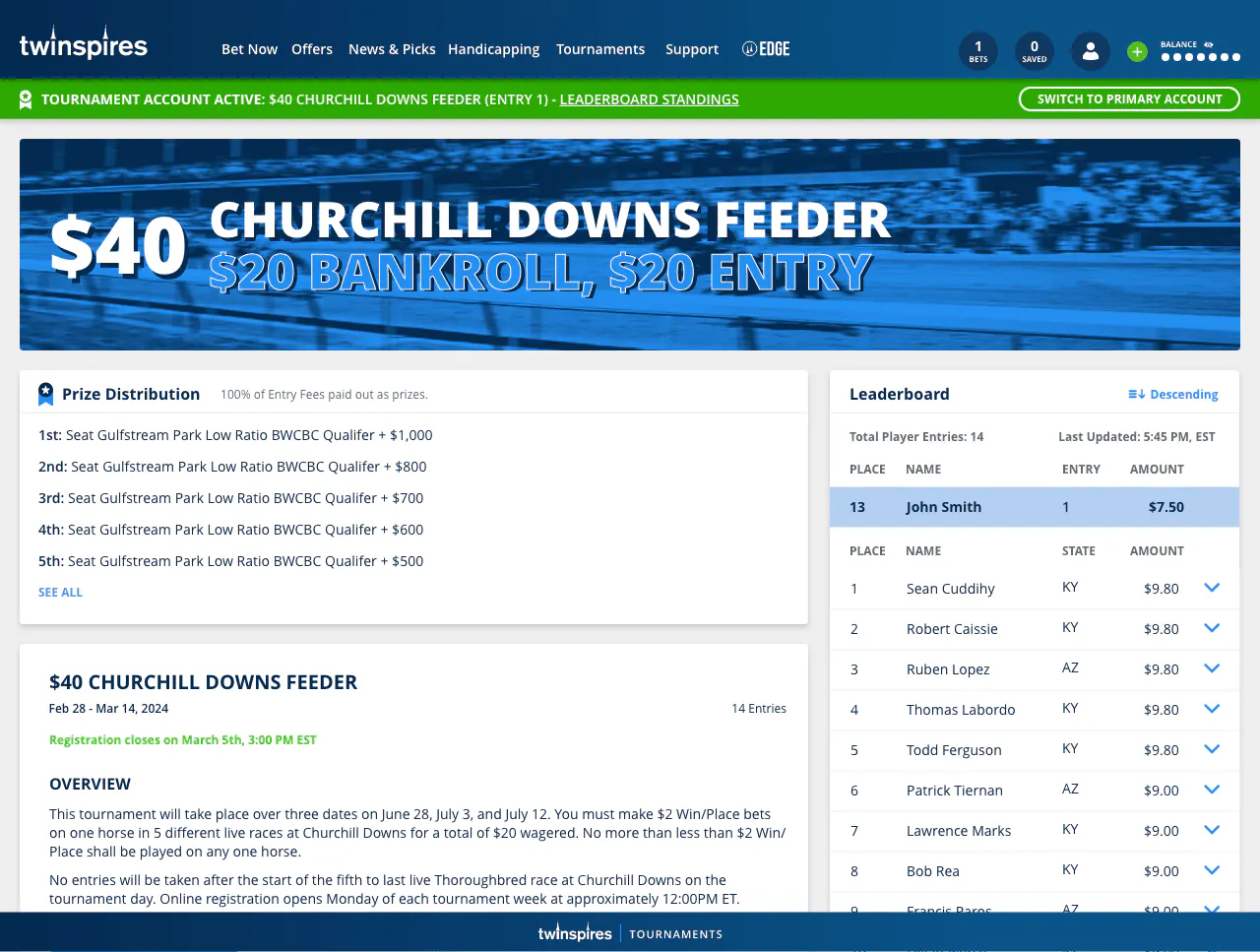
The views of an active TwinSpires horse racing tournament
- Image 1 shows an upcoming handicapping tournament's main page with tournament detailed information
- Image 2 shows an active handicapping tournament with prizes and dynamic leader-board
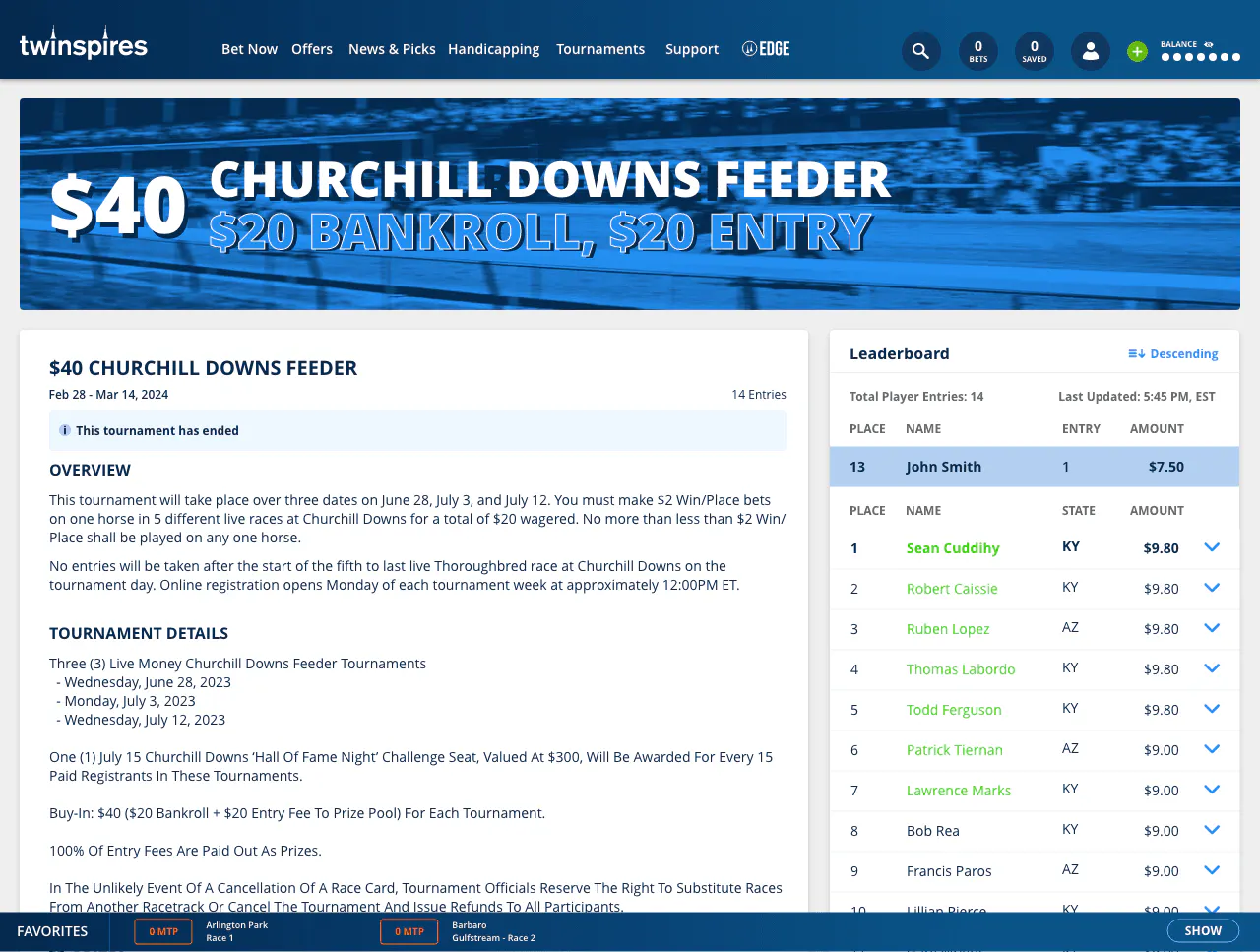
- Image 3 shows a closed (ended) handicapping tournament with tournament leader-board results
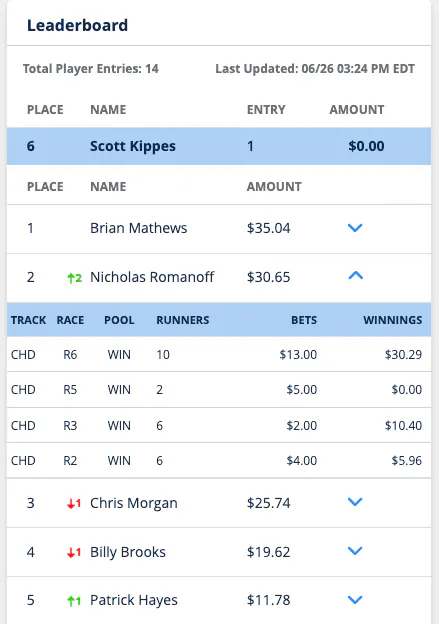
- Image 4 shows how the TwinSpires Tournament interface communicates leader-board changes and player movements
Can I see player standings during a tournament competition?
A key component that we heard from horseplayers is, 'Who is leading in the overall tournament ladder?' As well as hearing, 'Where am I within relation to the full field of tournament entrants?'
TwinSpires has a solution for you! With green and red indication arrows of gain or loss in tournament positions, quickly view horseplayer momentum. Following the end of a tournament specified race, dynamic updates to the tournament leader-board will be observed.
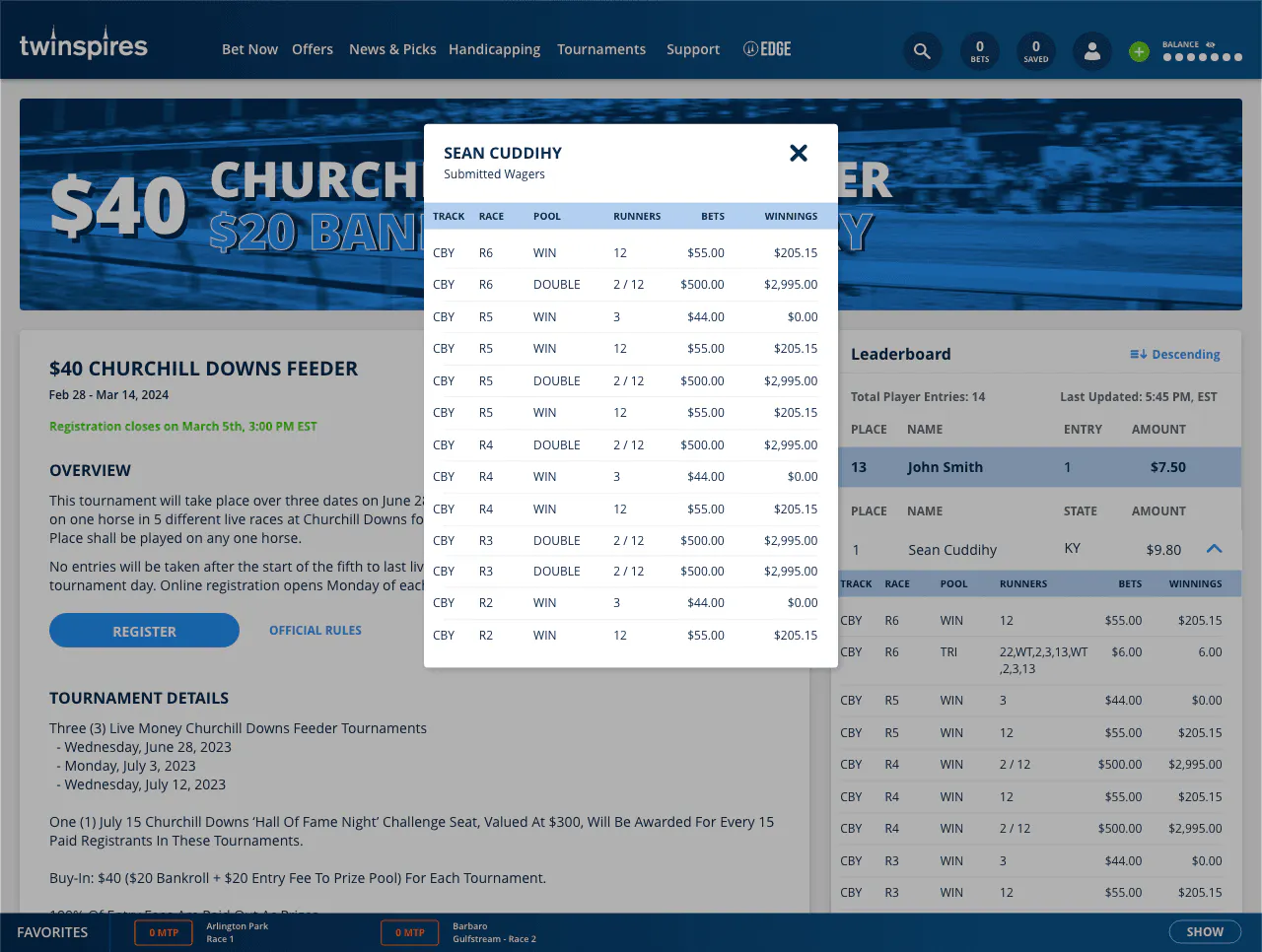
The tournament leader-board view will aid in tracking both the top positions, as well as your individual position placements. And just maybe...you also digest how your competition played the same races, as TwinSpires provides an inside view of a players betting, post race.
How do I switch between my main account and my tournament account, what does that look like at TwinSpires?
The image below displays a menu that will list your main TwinSpires wagering account, in addition to available Tournaments you have entered to play, when they are active.

How do I know I have successfully entered into a handicapping tournament contest at TwinSpires?
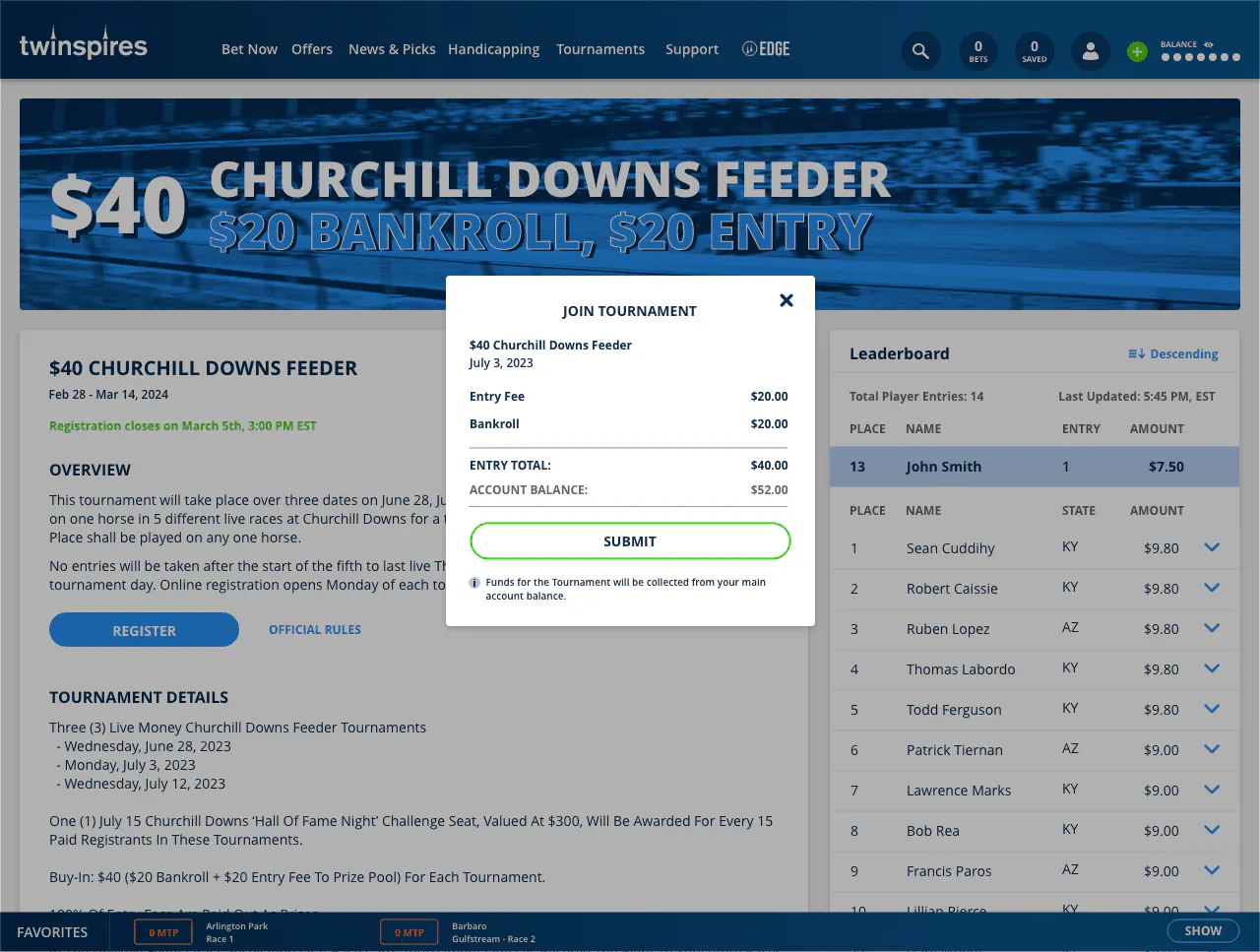
Once you click on 'Register' or successfully opt-in to a tournament contest, horseplayers will be served a confirmation screen that displays any entry fees as well as your tournament wallet's bankroll total, confirm by clicking the 'Submit' button.
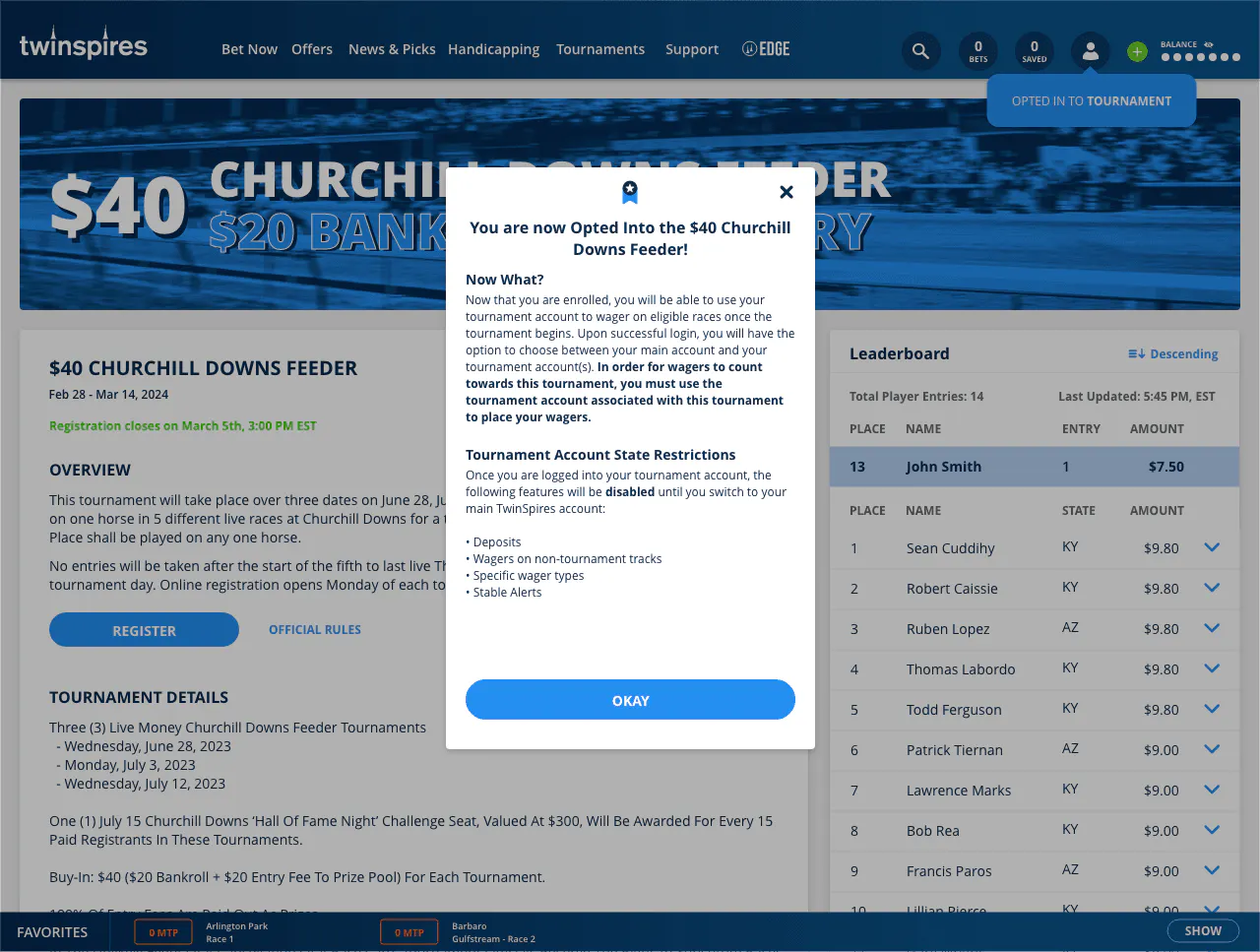
The example below shows a confirmation pop-up after entering a tournament, with details on the tournament's next steps to fulfill.
How do I know what races to play during a TwinSpires Tournament? How do I keep track of races in a tournament?
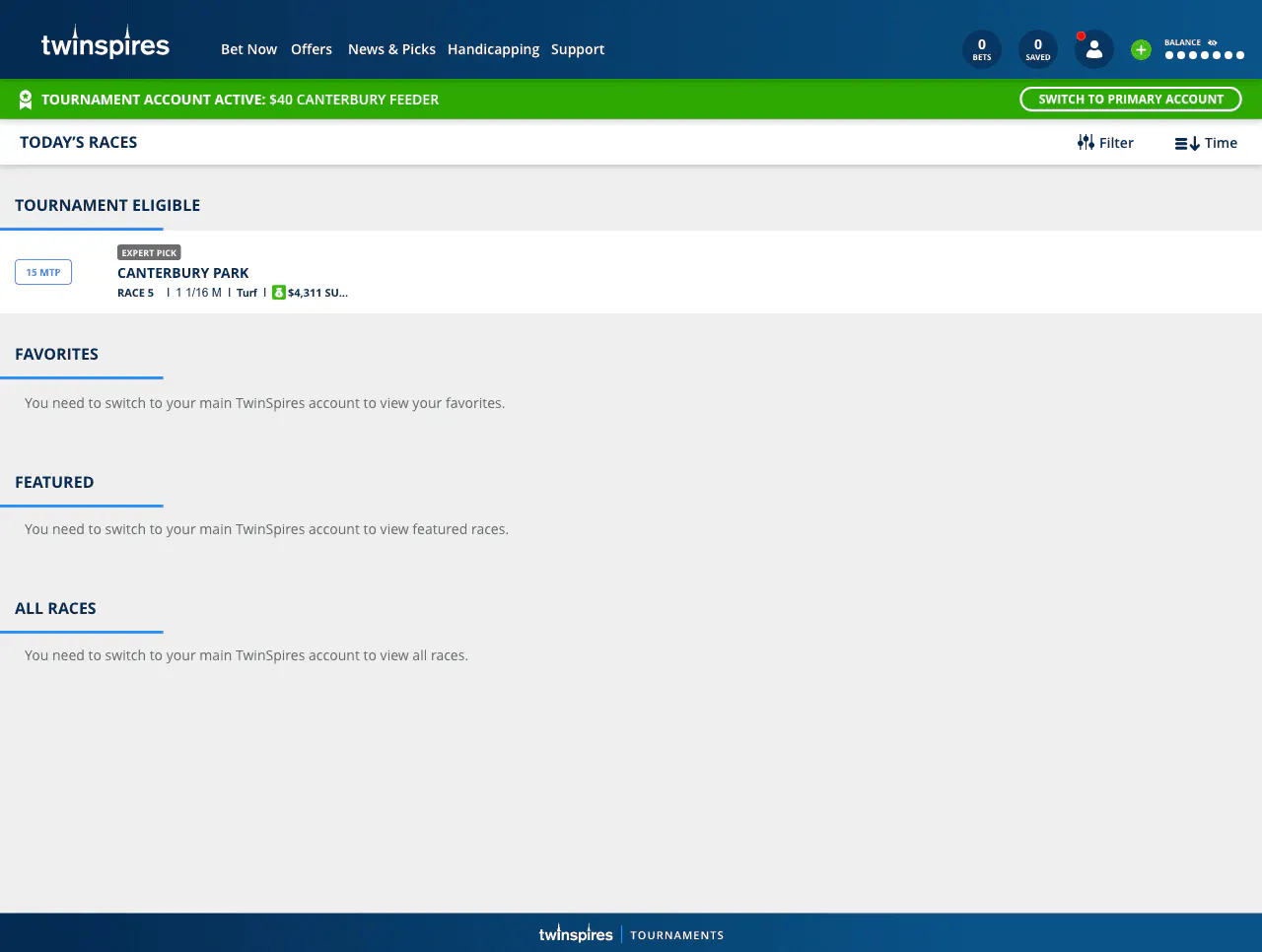
Tournament players will find a listing of 'Tournament Eligible' races in their 'Today's Races' view. Quickly and easily reference races to place wagers on and race condition information. The main pages for active Handicapping Tournaments will also provide a list of qualifying races to follow and easily bet.
Be sure to quickly check on completed wagers for your tournament. The image below demonstrates how contest participants will view their race lists of completed wagers made.
ADVERTISEMENT